Image Processing on tiny-gpu
Published:
This assignment is intended for prospective undergraduate researchers. If you are a prospective graduate researcher, please refer to the AI Hardware Task or the NTT Task. This task introduces you to GPU-style parallel programming using a simplified system. You will implement a basic image processing application, execute it on a minimal GPU platform, and evaluate its behavior and performance.
The goal is to assess your ability to:
- Understand a new system quickly
- Map a real-world problem to parallel execution
- Reason about performance and system limitations
Tiny-GPU Setup
tiny-gpu is a minimal, educational GPU-like system designed to demonstrate the fundamentals of parallel execution. Unlike modern GPUs, it is intentionally simplified and lacks many performance optimizations and features. This makes it easier to understand how threads are scheduled, how memory is accessed, and how parallel workloads are structured. In this assignment, you will use tiny-gpu as a platform to map a simple real-world computation onto a parallel execution model.
Clone and build the tiny-gpu repository:
git clone https://github.com/adam-maj/tiny-gpu.git
cd tiny-gpu
Follow the repository instructions to compile and run the provided examples. As you do this, familiarize your self with cocotb python based testbench environment and briefly examine how GPU kernels are written and executed. Focus on understanding how threads are launched and how work is divided across them. You are not expected to fully understand the system internals, just enough to modify and run your own kernel.
Task: Image Brightness Adjustment
You will implement a simple image processing operation: increasing the brightness of a grayscale image.
For each pixel:
\[output(x, y) = \min(255, input(x, y) + k)\]where:
- \(input(x, y)\) is the original pixel value (0–255)
- \(k\) is a constant brightness factor (e.g., 30–80)
- The result must be clamped to 255
You may consider the following for your implementation:
- Represent the image as a 1D or 2D array
- Assign one thread per pixel
- Each thread:
- Reads one pixel
- Applies the brightness operation
- Writes the result back
- Your implementation should:
- Work for multiple image sizes
- Produce correct output (proper clamping)
- Be clearly structured and documented everything in a repository
Performance Evaluation
You may use following two images for your evalautions.
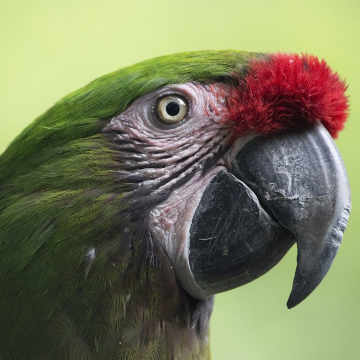

Run your brightness-adjustment kernel using multiple image sizes, for example:
| Image Size | Number of Pixels | tiny-gpu Execution Time |
|---|---|---|
| 64×64 | 4,096 | |
| 128×128 | 16,384 |
Report the following:
- Whether the output is correct, you may use python unit testing for this.
- How execution time changes with image size
- Any limitations encountered when scaling
Public Artifact Repository
You must create a public repository containing your solution. Repository must include at least following components:
- Source Code
- Testbench
- Input Files
- README.md
Interview Expectation
During the interview, you will be expected to:
- Walk through your implementation
- Explain how pixels are mapped to tiny-gpu threads
- Explain your design decisions
- Discuss trade-offs (e.g., image size, latency, memory access, system limitations)
- Demonstrate your simulation setup
This task is intended as a concise illustration of the core skills expected for this position. It is not designed to have a single “correct” solution. Instead, you are encouraged to explore different design approaches, experiment with trade-offs, and justify the decisions you make.
Focus on demonstrating clarity of thought, sound engineering judgment, and the ability to connect a simple real-world computation to practical hardware execution.
Good luck and happy coding/designing!